Home Offers and notices
MyCNBox coupons, current offers and service notices, with read dates
Promotions change weekly and notices monthly. Everything on this page carries the date we read it, and we quote the operator's wording rather than turning it into promises of our own.
What MyCNBox promises new accounts and every parcel

On November 9, 2026 the MyCNBox site and its help center advertised, in the operator's words, “a $500 coupon package plus 30% off discounts” for new sign-ups, and “ALWAYS 30% OFF SHIPPING For all users. Every order.” (help article 96). A coupon package is a set of discount vouchers with their own terms inside the account, not $500 of credit; we do not convert it into a cash figure.
Coupons are claimed under Account, then Coupons, and one can be chosen when you submit a parcel (help article 11). MyCNBox's worked example: a parcel estimated at $100 with a 30% off coupon costs $70 (help article 49). If you sign up through this site, the account is created with our partner code: open a MyCNBox account.
The pre-peak campaign, checked against the help center
The MyCNBox home page on November 9, 2026 still led with “PRE-PEAK EVENT 2026: Ship Early. Save More. Skip the Peak.”, with tiles for a 35% shipping code, 40% off for sharing and up to ¥1,000 cashback weekly for 30 winners.
The help center tells a slightly different story. Its notice on the campaign extended the 35% coupon deadline to October 18 at 5 PM Beijing time (help article 163). We therefore do not print the code: on the evidence we have, its last published deadline has passed even though the banner is still up. If you want the discount, check the coupon list in your account, which is the only place that shows what you can actually apply.

Service notices that touch an order
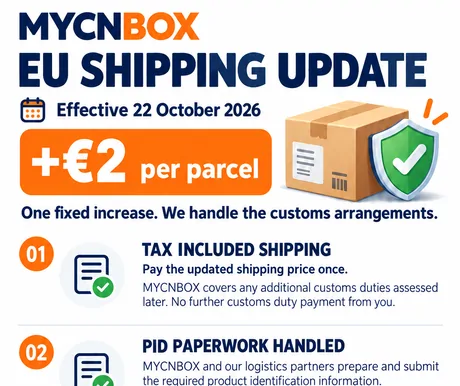
Two notices from the help center matter for orders placed now. From October 22, 2026, MyCNBox's EU lines are tax-included: €2 more per parcel, MyCNBox covers later duties on those shipments once postage is paid, and it prepares the product identification paperwork with its logistics partners. EU options without tax included, including related EMS and UPS services, are paused (help article 165).
And as read on November 9, 2026, the withdrawal article asks users to contact customer service to withdraw funds while the function is being worked on (help article 64). Refunds still land in the balance as usual; only the withdrawal step runs through support.
We re-read notices like these every 30 days and update this page when they change.
Haul posts, the Discord server and the points behind them
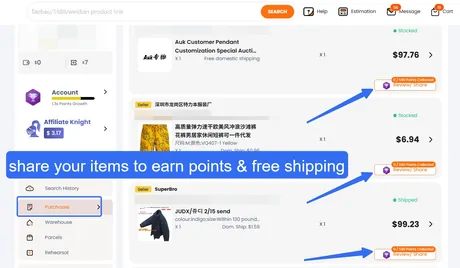
MyCNBox's community program pays points for posts on Reddit and TikTok about a real order: single product finds, haul reviews, unboxing videos and shipping experiences. Every valid post earns at least 1,000 points, which the operator likens to a ¥10 coupon, and one post a week wins 5 kg of free shipping, announced in the MyCNBox Discord (help article 159). Posts must be original, show items from MyCNBox orders and stay public.
So when you read a haul post that mentions MyCNBox, it may well have earned its author points. That does not make it wrong; it is simply context. We do not publish review scores, star ratings or review counts for MyCNBox or anyone else, because we cannot show you how they were collected.
The full points tables for TikTok views and Reddit upvotes are on Earning points.